Route Zoom, Google Meet and Microsoft Teams meetings through Speechmatics: a bot records the call, Speechmatics' enhanced model transcribes it with speaker diarization, delivered by webhook.
Speechmatics built its reputation on accuracy across accents and dialects — the meetings where a single language label doesn't survive first contact with an international team. Like every speech-to-text API, though, it starts from an audio file. Getting the meeting into a file is your problem.
A meeting bot makes that problem one POST request. This guide routes Zoom, Google Meet and Microsoft Teams calls through your Speechmatics account.
Enterprise teams often standardize on Speechmatics for accent robustness and on-premises options — pairing it with an on-premises-capable meeting bot keeps the whole chain under your control.
Step 1: Get your keys
- Speechmatics: create an API key in the Speechmatics portal.
- Meeting BaaS: self-serve signup at dashboard.meetingbaas.com — first 8 recording hours free.
Step 2: Send a bot with Speechmatics configured
curl -X POST "https://api.meetingbaas.com/v2/bots" \
     -H "Content-Type: application/json" \
     -H "x-meeting-baas-api-key: $API_KEY" \
     -d '{
           "meeting_url": "https://teams.microsoft.com/l/meetup-join/...",
           "bot_name": "Speechmatics Bot",
           "transcription_config": {
             "provider": "speechmatics",
             "api_key": "'"$SPEECHMATICS_API_KEY"'",
             "custom_params": {
               "language": "en",
               "model": "enhanced",
               "diarization": "speaker"
             }
           }
         }'
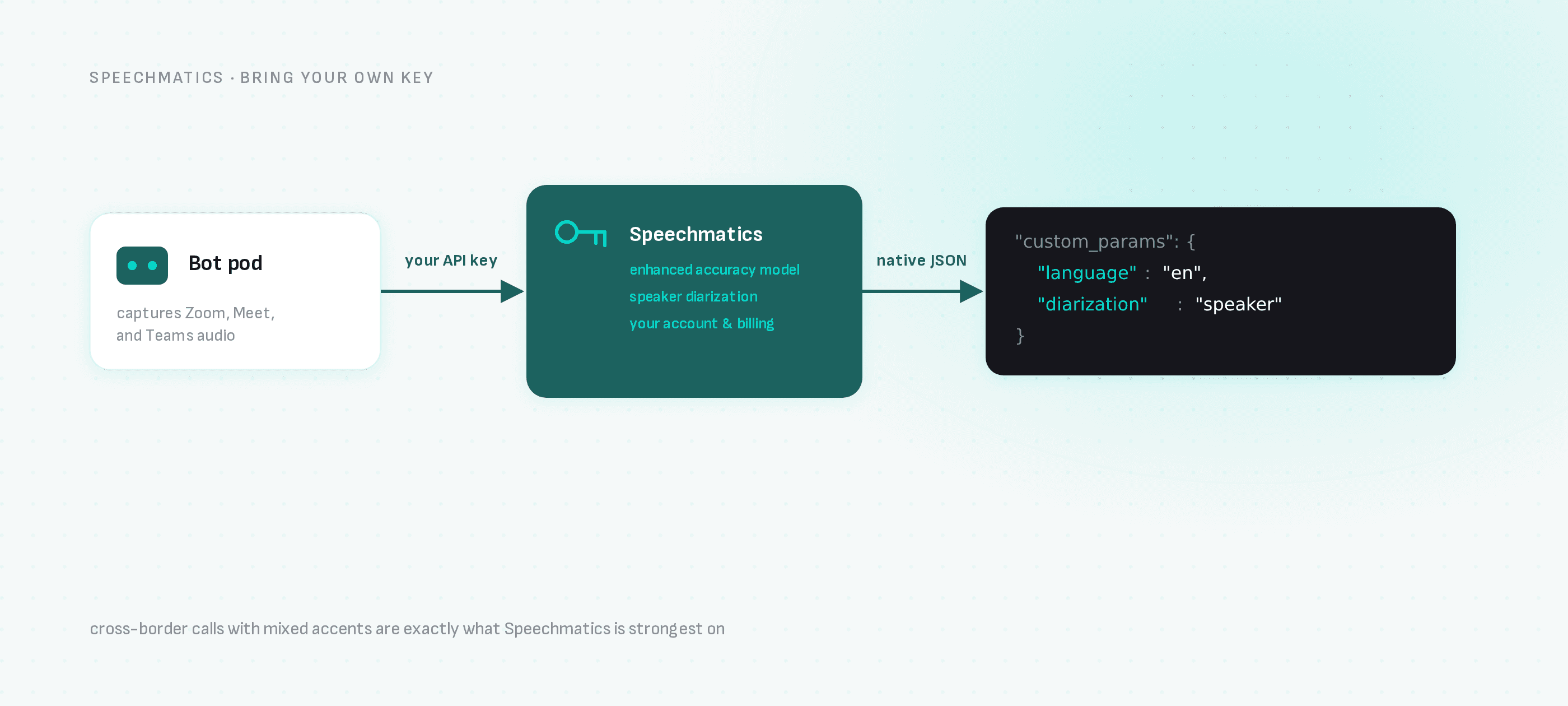
custom_params maps to Speechmatics' own configuration: language, the enhanced model for maximum accuracy, and diarization: "speaker" for who-said-what. Region-specific deployments are covered by the region field on transcription_config.
Step 3: Receive Speechmatics-native output
Your webhook receives the transcription artifact in Speechmatics' native response structure, plus the recording, participant join/leave events and the bot's own speaker timeline in the standard Meeting BaaS format. If you're migrating from uploading files to the Speechmatics batch API, the output parsing you already have carries over.
Why this combination
- Accent and dialect robustness: meetings are exactly the audio Speechmatics is strongest on — cross-border calls with mixed accents.
- Compliance chains: Meeting BaaS supports on-premises deployment; combined with Speechmatics' deployment options, regulated teams can keep audio inside their perimeter.
- Your billing: Speechmatics usage runs on your account; Meeting BaaS adds 0.05 tokens per recorded hour for bring-your-own-key transcription on every plan, on top of the 1 token per hour recording rate.
Next steps
- Speechmatics meeting transcription — the integration page
- All transcription providers
- On-premises deployment
- API documentation