Send a bot to any Google Meet URL with one API. Capture recordings, speaker-attributed transcripts and participant events without Workspace admin setup.

- 50+
- 3
- < 5 min
- 100%
From meeting URL to webhook
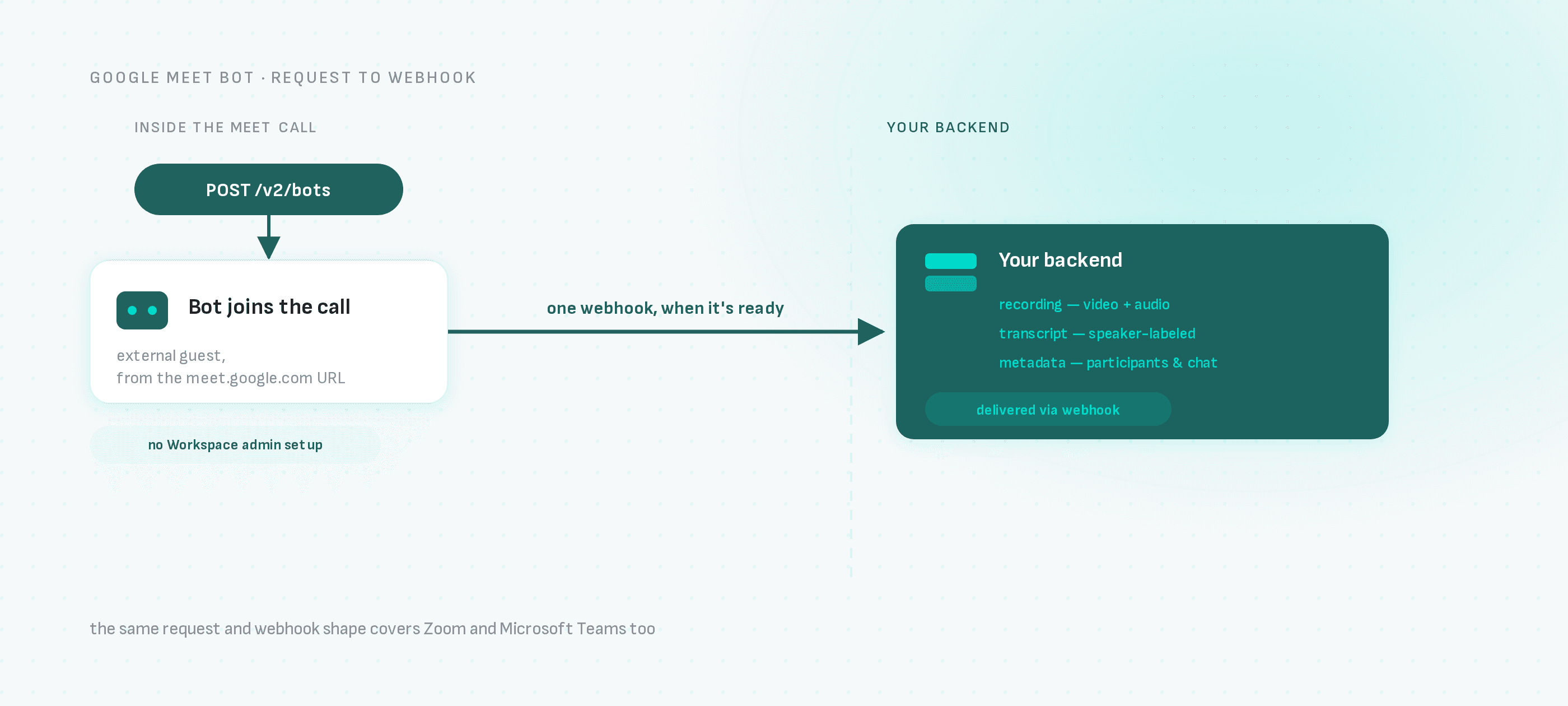
The bot lives inside the Meet call as an external guest; everything it captures reaches your backend as one webhook, never a direct connection to your systems.
Record Google Meet calls without Workspace admin setup
POST a Google Meet URL and the bot requests to join like a guest — once admitted it records the call, transcribes it with speaker attribution and pushes webhooks when the data is ready. No Google Workspace admin configuration required.
curl -X POST "https://api.meetingbaas.com/v2/bots" \
     -H "Content-Type: application/json" \
     -H "x-meeting-baas-api-key: $API_KEY" \
     -d '{
           "meeting_url": "https://meet.google.com/abc-defg-hij",
           "bot_name": "Your Bot"
}'No Workspace configuration
The bot joins from the meet.google.com URL like any external guest — you don't need domain-wide delegation, admin consoles or your users' Google accounts.
Full meeting capture
Video and audio recording, speaker-attributed transcription, participant join/leave events, chat access and screenshare tracking on every Meet call.
Interactive when you need it
Stream live audio and video from the call or send a speaking bot that participates — the same API powers passive recorders and active meeting agents.
Google Meet bot FAQ
One request in, your data out
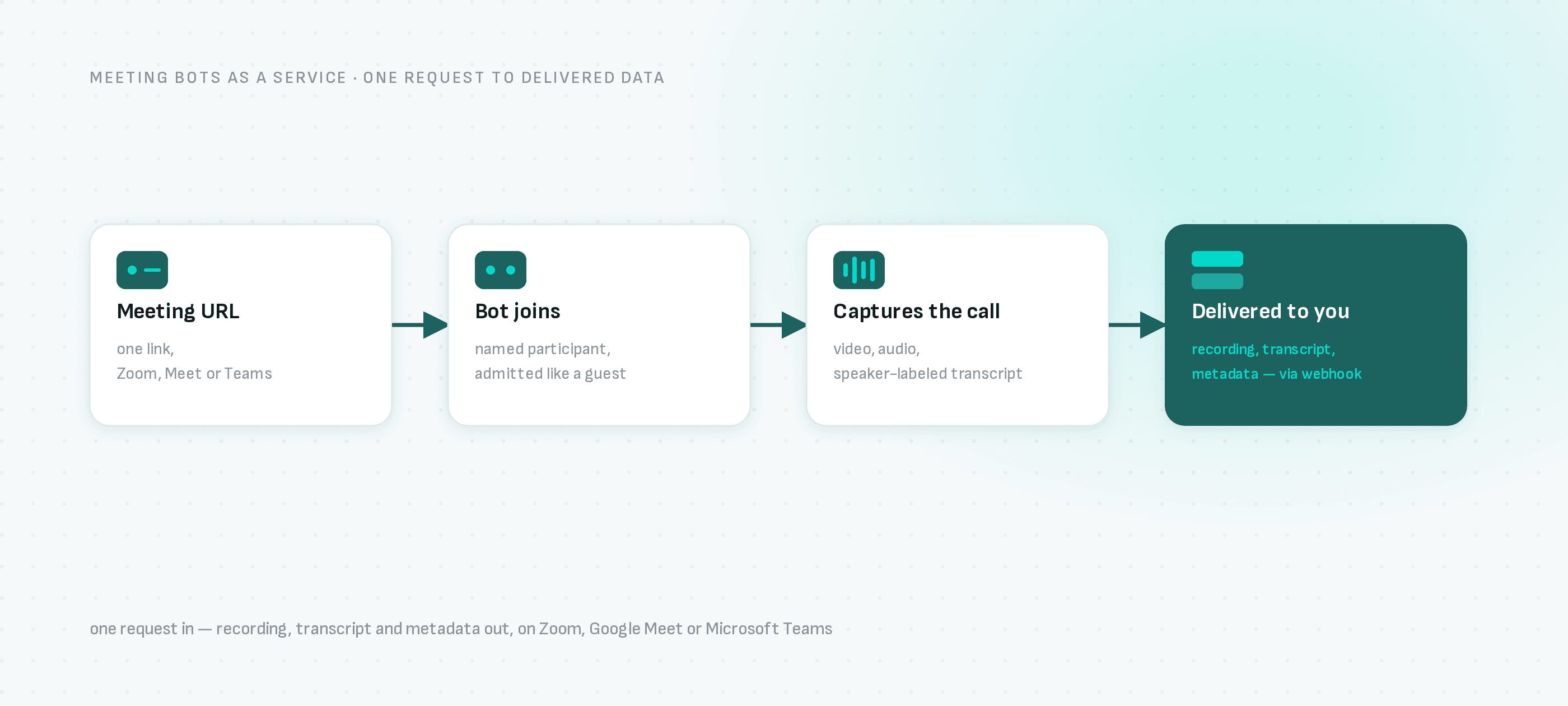
Send a meeting URL and the bot joins, records and transcribes the call — your backend gets the recording, transcript and metadata back through a webhook.
Send a meeting URL
One POST with the link, a bot name and your webhook. No SDK required — curl works.
The bot joins and records
It shows up as a participant on Zoom, Google Meet or Teams and captures audio, video and speaker metadata.
Your webhook fires
Recording, transcript and participant timeline land in your backend the moment the call ends.
How fast can you integrate this weekend
A simple API so that you can start recording meetings in minutes. It fits right into your code using SDKs, or directly with HTTP requests.
import { createBaasClient } from "@meeting-baas/sdk";

// Create a v2 client
const client = createBaasClient({
  api_key: "your-api-key", // Get yours at https://meetingbaas.com
  api_version: "v2"
});

// Create a bot with type-safe error handling
const { success, data, error } = await client.createBot({
  bot_name: "Meeting Assistant",
  meeting_url: "https://meet.google.com/abc-def-ghi"
});

if (success) {
  console.log("Bot created successfully:", data.bot_id);
} else {
  console.error("Error creating bot:", error);
}
Why do developers choose Meeting BaaS?
We're a team of engineers passionate about crafting tools for fellow developers. Meeting BaaS is the platform we always wanted, now we're building it for you.
Multi-platform support
Unified API for Zoom, Meet and Teams. Customize names, avatars, and messages while accessing real-time metadata, recordings, and transcripts.
Raw Audio & Video
Access raw audio and video recordings, including meeting transcripts, for seamless integration with your existing workflows.
Easy Integration
Connect with your favorite tools and services through our extensive ecosystem of APIs, SDKs and MCP servers.
Full Transcription
Access full meeting transcripts with out-of-the-box meeting transcription powered by Gladia. Or use your own transcription service.
Participant Metadata
Automatically identify and separate different speakers in the meeting, including timestamps for each speaker.
Vertical SaaS
Embed meeting capabilities into your solution. Create analytical tools on customer interactions, AI meeting assistants for internal discussions and more.
Open Source Code
View, modify, and contribute to the codebase. We're always excited to see what you build with Meeting BaaS.
Self-hosting
Be in control of your data. Deploy on your own infrastructure when needed. Your data, your rules.
Advanced Analytics
Get deep insights into your bot's performance with comprehensive analytics, and reporting tools.
The things that block a rollout, handled
Meeting data is sensitive and meeting infrastructure is load-bearing. Both are treated that way.
Built for production workloads
Use the same API from your first bot through production scale, with infrastructure designed for demanding meeting workloads.
Keep meeting data in your own S3
Available on every plan. Send recordings, transcripts, audio chunks and logs to S3-compatible storage you control, with transient spill disabled by default.
Self-hostable, in full
Deploy v2 inside your own perimeter when the data cannot leave it. Same API, same SDKs, your infrastructure.
EU company, EU operations
Meeting BaaS is operated by SAS SPOKE out of Paris, under GDPR, with multi-zonal data residency on Enterprise.
Open source where it counts
The bots, the SDKs and the MCP servers are public. Read the code before you depend on it.
Your transcription keys
Bring your own Gladia, Deepgram, AssemblyAI, Speechmatics or Soniox key and keep that relationship, and its pricing, yours.
Ready to ship meeting bots without building the plumbing?
Join thousands of customers that use Meeting BaaS to create AI Meeting Assistants, customer interactions analytics, and much more. Start your journey today.