Record and transcribe Google Meet calls from your backend with one API call — no Google Workspace admin setup, no Chrome extensions. Bot joins, records, and webhooks deliver the transcript.
Recording Google Meet calls from code sounds like it should be a Google API away. It isn't quite: Google's official Meet REST API lets an authenticated meeting host or participant retrieve conference records and artifacts via OAuth — but it only surfaces recordings that were started in Meet itself (a paid Workspace feature), it requires per-user OAuth consent (or admin-configured domain-wide delegation), and it doesn't cover the most common product use case: reliably recording every meeting your users attend, across organizations.
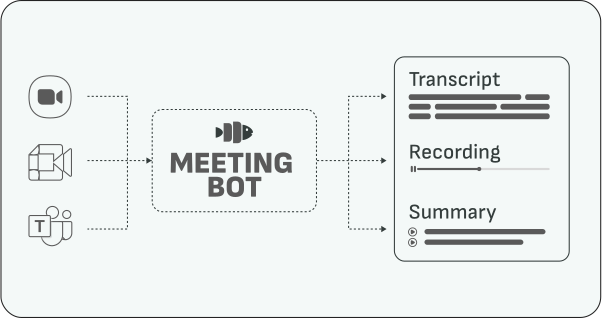
The practical pattern the industry converged on is the meeting bot: an automated participant that joins the call like a guest, records what it sees and hears, and reports back to your API. This guide shows how to do that with Meeting BaaS in about ten minutes.
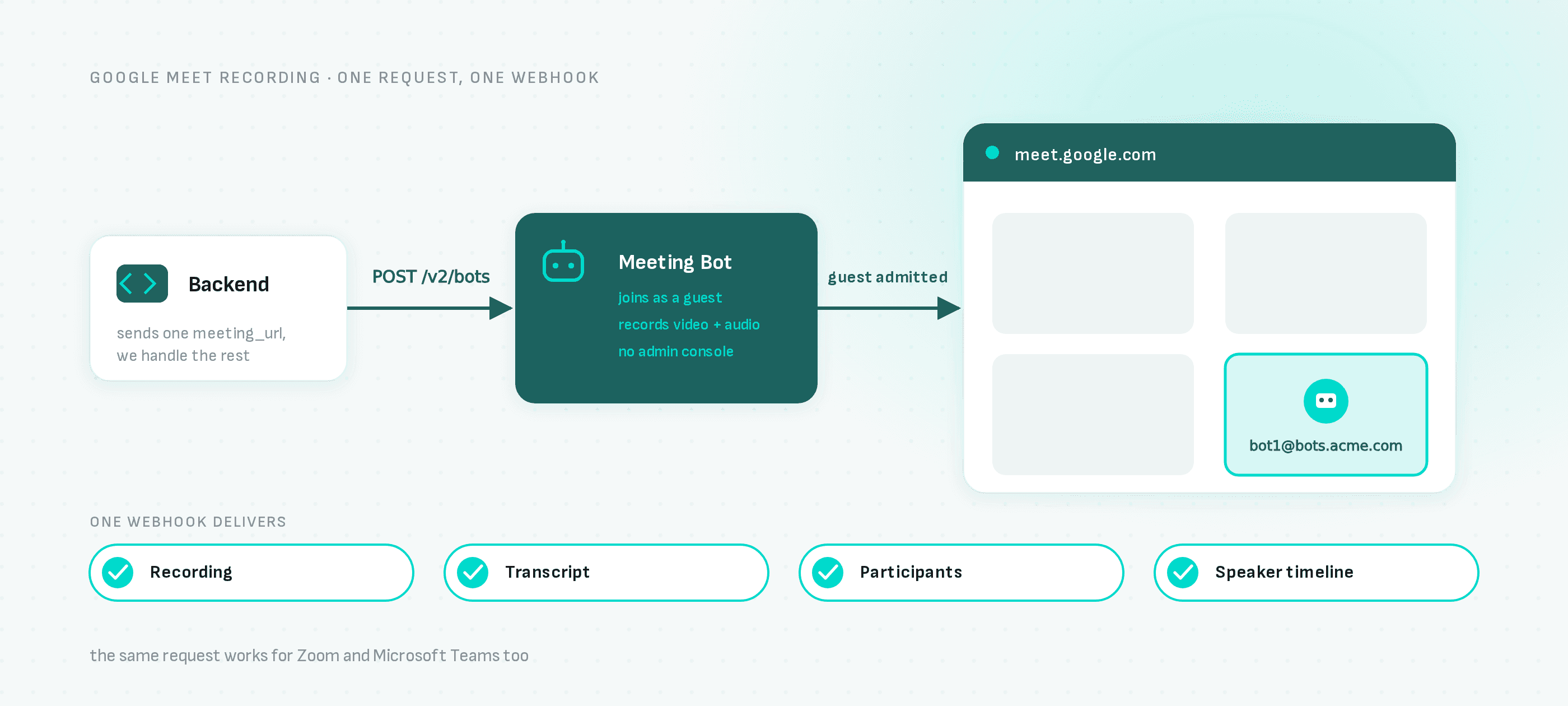
One POST request in, one webhook out. No Google Workspace admin consoles, no domain-wide delegation, no browser extensions.
How it works
- Your backend sends a meeting URL to the Meeting BaaS API
- A bot requests to join the Meet call, with the name and avatar you configure
- A participant admits it (like any external guest)
- The bot records video and audio for the whole meeting
- When the call ends, webhooks deliver the recording, a speaker-attributed transcript, the participant list and a speaker timeline
Step 1: Get an API key
Sign up at dashboard.meetingbaas.com — signup is self-serve and your first 8 recording hours are free.
Step 2: Send a bot to a meeting
With curl:
curl -X POST "https://api.meetingbaas.com/v2/bots" \
     -H "Content-Type: application/json" \
     -H "x-meeting-baas-api-key: $API_KEY" \
     -d '{
           "meeting_url": "https://meet.google.com/abc-defg-hij",
           "bot_name": "Recording Bot"
         }'
Or with the TypeScript SDK:
import { createBaasClient } from "@meeting-baas/sdk";

const client = createBaasClient({
  api_key: process.env.MEETING_BAAS_API_KEY,
  api_version: "v2"
});

const { success, data, error } = await client.createBot({
  bot_name: "Recording Bot",
  meeting_url: "https://meet.google.com/abc-defg-hij"
});

if (success) {
  console.log("Bot created:", data.bot_id);
} else {
  console.error("Error creating bot:", error);
}
Step 3: Receive the data by webhook
Register a webhook endpoint in the dashboard. When the meeting ends and processing completes, you receive the recording URL, the transcript with speaker attribution, participant join/leave events and the current-speaker timeline. Full payload shapes are in the webhooks documentation.
Scheduling bots automatically
Manually posting a meeting URL works for on-demand recording. For a product that records all of a user's meetings, connect their calendar: the built-in calendar integration watches upcoming events and schedules bots for them automatically — no cron jobs on your side.
Things to know before production
- Consent first: a recognizable bot name is not authorization to record. Obtain the participant consent required by the applicable laws in your users' jurisdictions before sending a bot — this responsibility sits with you as the API client (see the terms).
- Admission: the bot joins as an external guest, so someone in the meeting admits it. Name it clearly (e.g. "Acme Notetaker") so users recognize it.
- Waiting time is billed as recording: if the bot sits unadmitted, that duration consumes tokens. Set sensible timeouts.
- Pricing: recording costs 1 token per hour ($0.35–0.50 depending on token pack size) with speaker diarization included; transcription adds 0.25 tokens per hour.
- The same code covers Zoom and Teams: swap the meeting URL and everything else stays identical. See the platform guides for Zoom and Microsoft Teams.
Next steps
- Meeting bot API overview — how the bot model works across platforms
- Google Meet bot API — platform specifics and FAQ
- Meeting transcription API — transcription options, languages and BYOK
- API documentation — full reference