Meeting BaaS のミーティング文字起こし API が、Google Meet、Zoom、Microsoft Teams のミーティングを検索可能で実用的なテキストに変換する方法をご覧ください。100以上の言語サポート、話者分離、リアルタイム処理機能についてご説明します。
ミーティングの文字起こしは、現代のビジネスに欠かせない機能となっています。過去の議論を検索したり、ミーティングの要約を作成したり、正確な記録を維持したりする場合でも、当社のミーティング文字起こしAPIが最適なソリューションを提供します。
Meeting BaaSの文字起こしAPIとは?
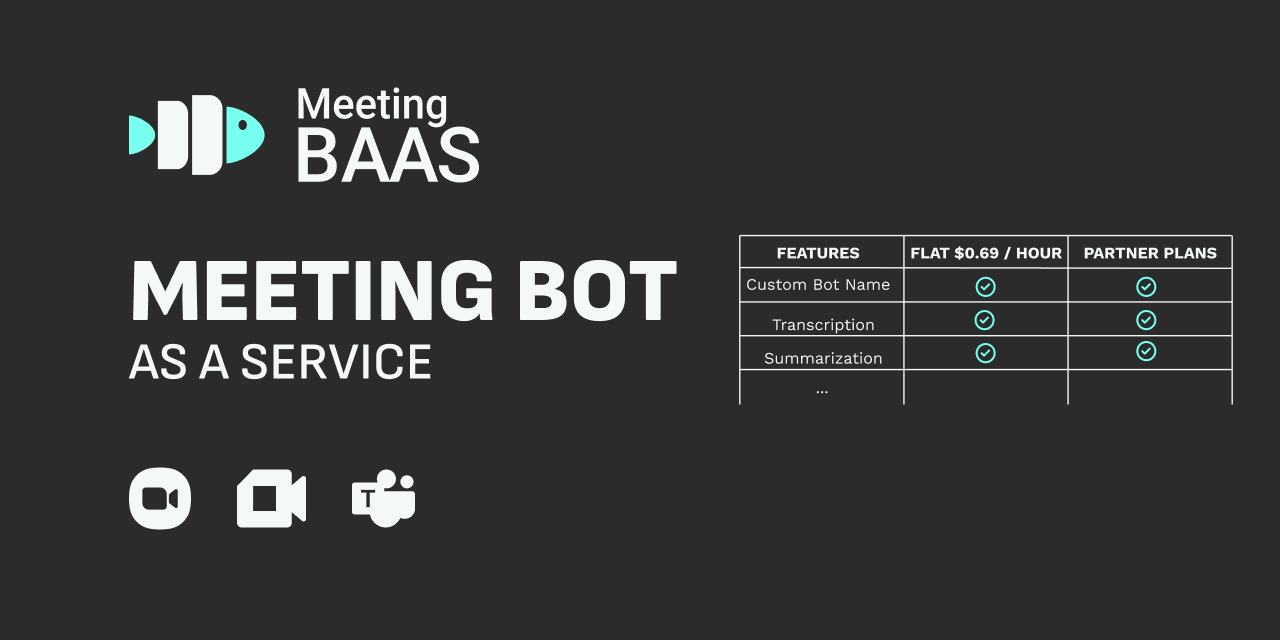
当社のミーティングbot API(Meeting BaaS - Meeting bots as a Service)を使用すると、Google Meet、Zoom、Microsoft Teamsのミーティングを録画し、音声をテキストに変換できます。
主な機能
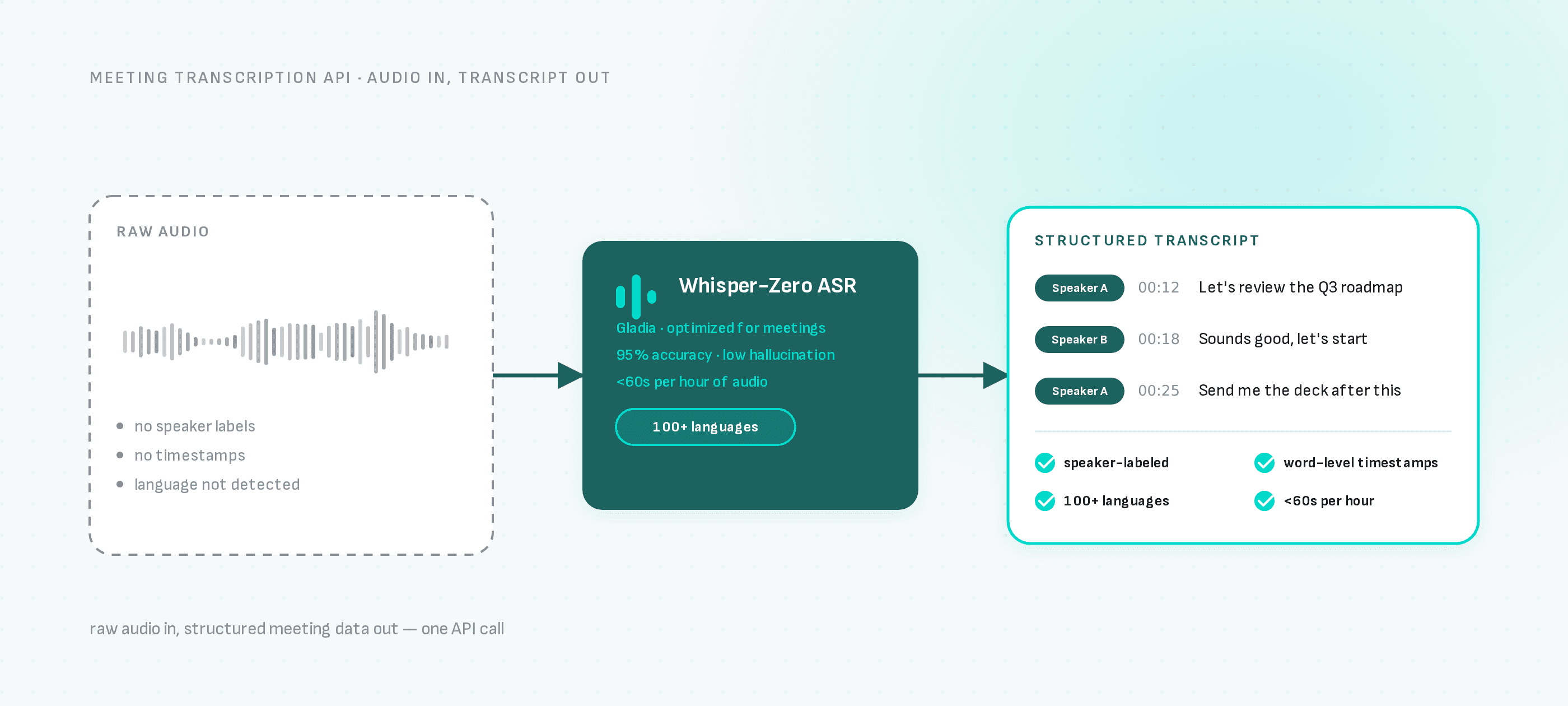
当社のAPIは、以下の機能を備えた包括的なミーティング文字起こしを提供します。
- 100以上の言語をサポート - グローバルチームも問題なし
- 無制限の話者分離 - 誰が何を言ったかを正確に把握
- チャットメッセージの文字起こし - 音声と文字によるコミュニケーションの両方をキャプチャ
- 超高速処理 - 1時間の音声を60秒以内に処理
高度な技術による実現
GladiaのプロプライエタリWhisper-Zero ASR(自動音声認識)と連携しており、実際のエンタープライズ音声向けに最適化されています。このテクノロジーは、ビジネスミーティングのダイナミックな性質を高精度で処理します。
他社との差別化ポイント
高精度(成功率95%)
Whisper-Zero ASRは音声文字起こしからほぼすべてのハルシネーションを排除し、信頼性の高い文字起こし品質を保証します。
カスタム語彙サポート
業界固有の用語、製品名、技術的な専門用語を追加して、特定のユースケースにおける文字起こし精度を向上させることができます。
単語レベルのタイムスタンプ
すべての単語に正確なタイミング情報が付与されており、検索可能なミーティングアーカイブの作成やミーティングのハイライト生成に最適です。
高度なノイズリダクション
背景ノイズ、複数話者、音質の問題にも、アルゴリズムが適切に対応します。
複数の出力フォーマット
プレーンテキスト、SRT、VTTキャプション形式など、ワークフローに最適な形式で文字起こしを取得できます。
コードスイッチングサポート
話者が自然に言語を切り替える会話を正確に文字起こしします。
翻訳機能
話し言葉を、サポートされている99の言語のいずれかで書き言葉に変換します。
実際の活用例
ミーティングワークフローの自動化
当社のAPIを既存のツールに統合することで、真の力が発揮されます。実用的なユースケースをご紹介します:
Notion連携
アクションアイテム、重要な決定事項、参加者のインサイトを含むミーティングサマリーをNotionに自動作成します。プロジェクトマネージャーやチームリーダーに最適です。
Airtable + Make ワークフロー
Make(旧Integromat)とAirtableを使用した強力な自動化を設定します:
- トリガー: 新しいミーティング録画を検出
- 処理: Meeting BaaS APIが文字起こしとメタデータを取得
- 強化: AIサービスがサマリーを追加してインサイトを抽出
- 保存: 構造化されたミーティングデータでAirtableを自動更新
これにより、すべてのミーティングコンテンツの検索可能なデータベースが作成され、意思決定の追跡、アクションアイテムのフォローアップ、組織知識の維持が容易になります。
はじめに
Install the Package
Install the Meeting BaaS SDK using your preferred package manager:
npm install @meeting-baas/sdkpnpm add @meeting-baas/sdkyarn add @meeting-baas/sdkCreate a Client
Create a new instance of the BaaS client with your API key:
import { createBaasClient } from "@meeting-baas/sdk";

// Create a BaaS client
const client = createBaasClient({
  api_key: "your-api-key", // Get yours at https://meetingbaas.com
});
Make sure to keep your API key secure and never expose it in client-side code.
Retrieve Meeting Data
Use our REST API to get meeting transcripts and metadata:
curl -X GET "https://api.meetingbaas.com/bots/meeting_data?bot_id=string" \
  -H "x-meeting-baas-api-key: <token>"
The API returns comprehensive meeting data including:
- Meeting duration and metadata
- MP4 recording URL
- Complete transcripts with speaker diarization
- Word-level timestamps for precise synchronization
Use Our TypeScript SDK
For easier integration, use our official TypeScript SDK:
const { success, data, error } = await client.getMeetingData({
  bot_id: "123e4567-e89b-12d3-a456-426614174000",
  include_transcripts: true
});

if (success) {
  console.log("Meeting duration:", data.duration);
  console.log("MP4 URL:", data.mp4);
  console.log("Transcript count:", data.bot_data.transcripts.length);
} else {
  console.error("Error getting meeting data:", error);
}
Invoke Meeting BaaS Methods
With this client instance created, you can call Meeting BaaS methods, such as:
// Join a meeting
const { success, data, error } = await client.joinMeeting({
  bot_name: "Meeting Assistant",
  meeting_url: "https://meet.google.com/abc-def-ghi",
  reserved: true,
});

if (success) {
  console.log("Bot joined successfully:", data.bot_id);
} else {
  console.error("Error joining meeting:", error);
}
// Leave a meeting
const { success, data, error } = await client.leaveMeeting({
uuid: "123e4567-e89b-12d3-a456-426614174000"
});
if (success) {
console.log("Bot left the meeting successfully:", data.bot_id);
} else {
console.error("Error leaving meeting:", error);
}The Business Impact
Companies using our Meeting Transcription API report:
- 40% reduction in meeting follow-up time
- Improved accountability with clear action item tracking
- Better knowledge retention through searchable meeting archives
- Enhanced collaboration across global teams
What's Next?
Ready to transform how your team handles meetings? Get your API key today and start building more productive meeting workflows.
実際に動作を確認したいですか?ミーティング bot API、Zoom、Google Meet、Microsoft Teamsのプラットフォームガイド、またはAPIドキュメントをご覧いただくか、GitHubサンプルをご確認ください。
Have questions about implementation? Our team is here to help you get started with the right integration for your specific needs.
Have questions about implementation? Our team is here to help you get started with the right integration for your specific needs.